
Product update
What’s New in Yarken — July 2026
Enterprise AI investment now reaches far beyond a single usage report or cloud invoice.
Finance and technology leaders are being asked sharper questions: which teams are using AI, which models are driving cost, which vendors and contracts carry risk, which services are benefiting, and which decisions need action this quarter.
Answering them requires governed financial context across usage, ownership, contracts, cloud allocation, and reporting.
Yarken’s latest updates are focused on the work enterprise teams need to govern technology spend with financial confidence.
Over the last few weeks, we released capabilities that strengthen the financial foundation of Yarken while expanding the platform’s role in AI Economics, contract intelligence, connected analytics, cloud reporting, and automation.
The common thread is simple: help enterprises move from fragmented spend visibility to governed, decision-ready technology finance.
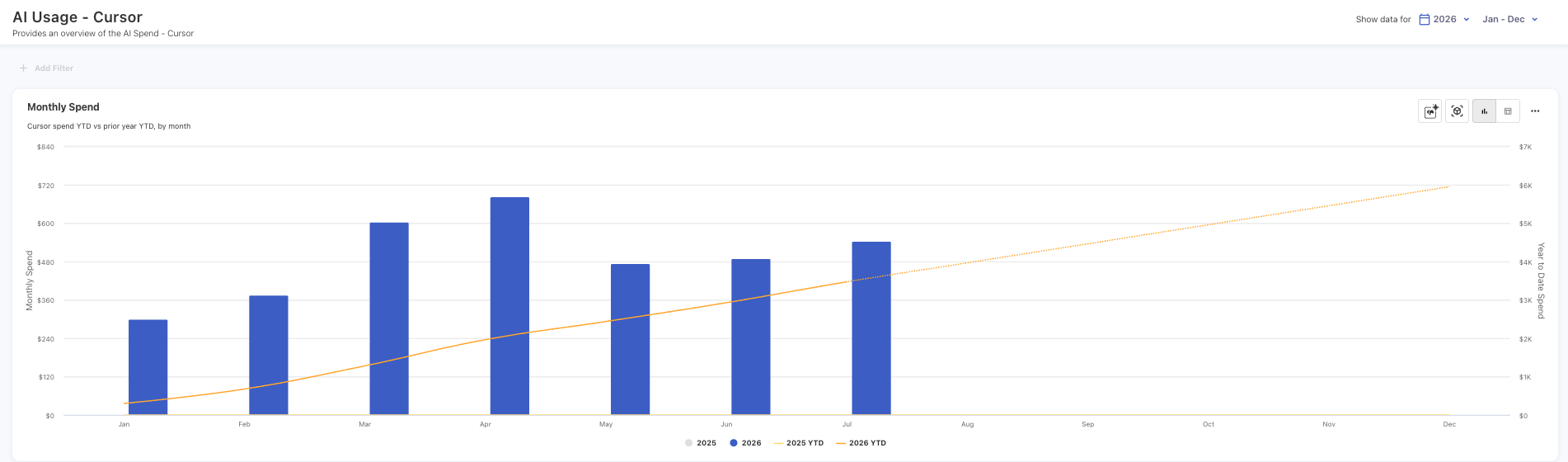
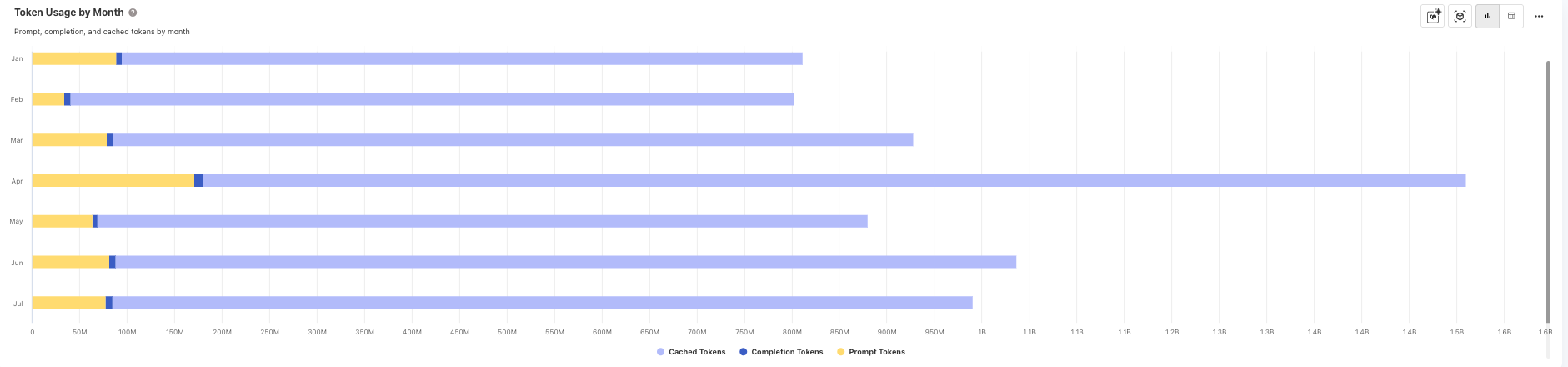
For teams trying to scale AI responsibly, this matters. Token consumption on its own does not explain value. Model usage on its own does not explain ownership. A monthly bill on its own does not explain whether AI investment is improving productivity, delivery speed, customer experience, or operational performance.
Yarken helps bring AI usage into the same financial discipline as the rest of the technology estate. That is the shift leaders need: from AI adoption to accountable AI scaling.
Contract intelligence turns static documents into usable financial context
Contracts hold some of the most important context behind technology spend: vendor commitments, renewal dates, payment terms, termination clauses, service obligations, and commercial risk.
The problem is that much of this information is still trapped inside PDFs and reviewed manually when a renewal, audit, variance, or vendor question appears.
Yarken now helps teams extract key contract details from signed contract documents and turn them into structured, review-ready records. Users can validate the information before it is published, helping teams improve contract data quality without turning the process into another manual spreadsheet exercise.
Contract Explorer also helps teams ask natural-language questions about contract content, making it easier to find terms, obligations, renewal conditions, and payment details when decisions need to move quickly.
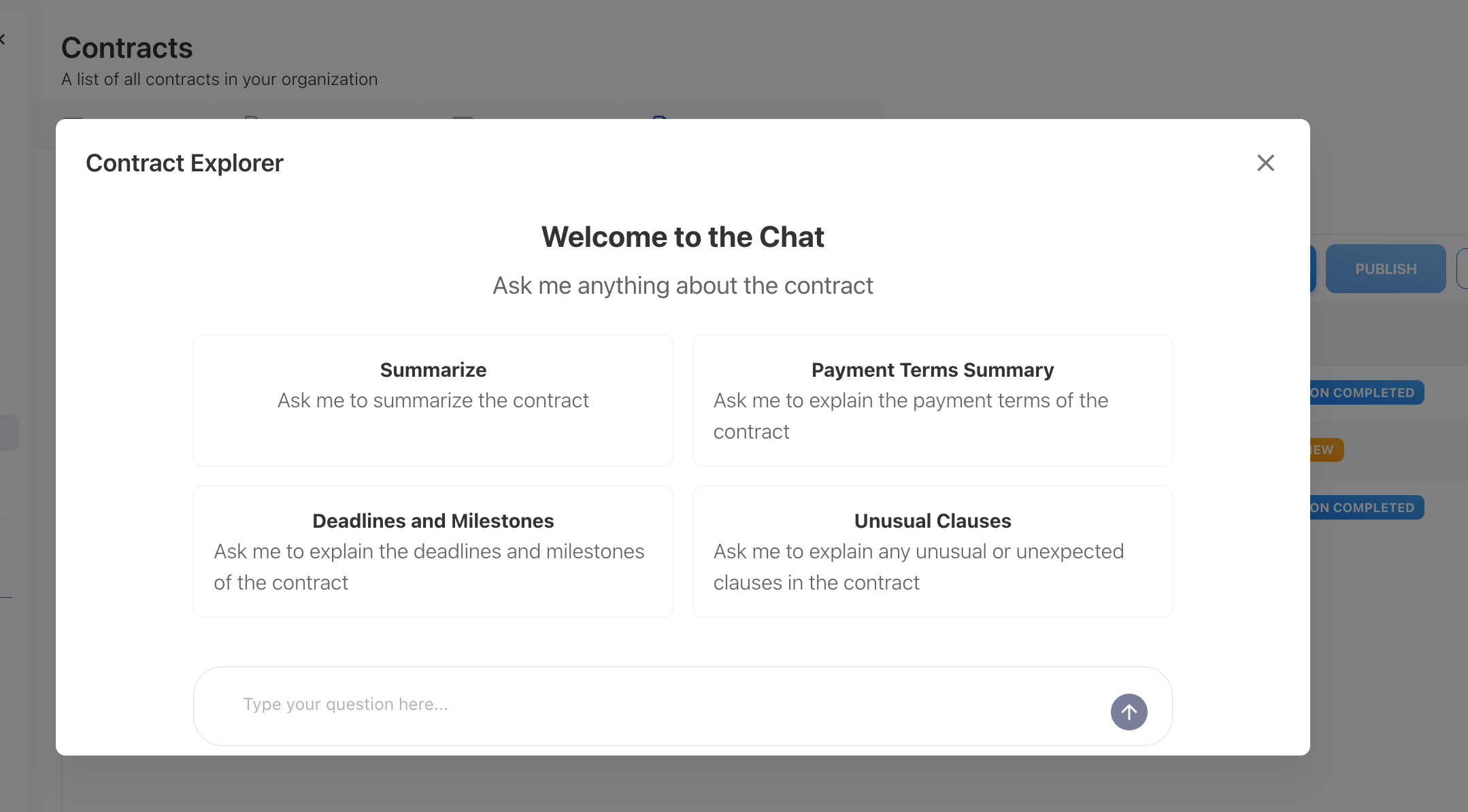
For procurement, vendor management, IT finance, and technology leaders, this is a practical step toward better contract visibility, faster onboarding, and stronger spend governance.
Multi-Cube Analytics connects the questions leaders actually ask
Technology finance questions rarely live in one dataset.
A spend question might require budget context. A cloud question might require ownership context. A service cost question might require usage, allocation, and financial model context. When those views sit apart, teams spend too much time exporting, reconciling, and debating the numbers.
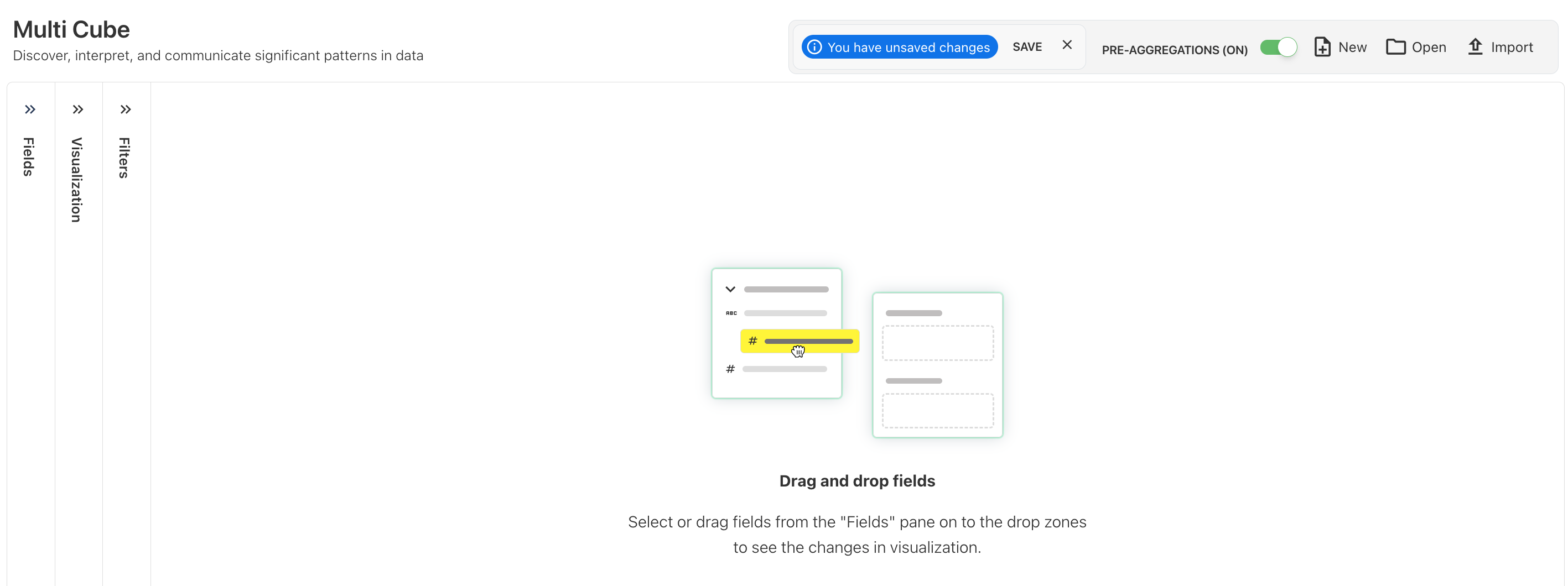
Yarken’s Multi-Cube Analytics helps teams create reports and dashboards using data from multiple analytics cubes in a single view. That gives leaders a broader way to analyze technology spend across financial, operational, usage, and model-based data.
This is especially important as TBM, FinOps, vendor management, and AI Economics continue to converge. Leaders do not need another isolated dashboard. They need connected analysis that reflects how the business actually operates.
Automation and integrations reduce the drag around recurring data work
The fastest technology finance teams spend less time moving data manually and more time acting on trusted financial signals.
Yarken now supports more advanced integration and automation capabilities, helping customers synchronize data between Yarken and external business systems. These updates support more consistent data movement, better visibility into integration activity, and less manual effort across recurring processes.
Yarken also added stronger Azure authentication support, giving enterprises a more secure and manageable way to connect relevant cloud data sources.
The result is a more reliable data foundation for spend analysis, governance, and reporting.
Cloud and FOCUS reporting become more accurate and flexible
Cloud financial management keeps expanding. Teams need to support new providers, standardize data, apply consistent mappings, and trust how spend flows into reporting.
Recent Yarken updates improve FOCUS pipeline setup, provider flexibility, and cloud allocation accuracy. Cloud asset spend is now handled with stronger alignment across related reporting views, helping teams trust the relationship between consumption data and asset-level financial reporting.
For FinOps and IT finance teams, these improvements make cloud reporting more dependable. They also help connect cloud costs to the broader TBM and technology finance model, which is where executive decisions happen.
What this means for technology and finance leaders
The latest releases show where Yarken is going.
Technology finance is becoming more continuous, more operational, and more AI-influenced. TBM and FinOps are converging. AI spend is becoming a material investment category. Contracts are becoming part of the cost intelligence layer.
Yarken is building for that reality.
A governed technology finance platform should help leaders answer the questions that matter:
- What are we spending across cloud, SaaS, infrastructure, labor, vendors, contracts, and AI?
- Who owns the cost, the usage, and the business result?
- What changed, and why?
- Which decisions need action now?
- How do we govern AI investment without slowing down innovation?
That is the Yarken direction: one governed system for visibility, control, analysis, and action across the full technology estate.
See the full picture. Assign ownership. Decide faster.
Explore AI Economics with Yarken
Yarken AI Economics helps enterprises move from AI spend confusion to accountable AI investment.
AI is now part of everyday technology finance. The organizations that scale it responsibly will be the ones that can connect AI usage to cost, ownership, forecast, governance, and value.
Book a demo to see how Yarken helps technology and finance teams govern total technology spend in the AI era.
Book a demo