
Product Updates
The latest features, frameworks, and improvements to Yarken.
Financial models now available in Yarken
Yarken now introduces financial Models, a new framework designed to structure and organize Spend, Budget, and Forecast data for more flexible financial planning and analysis. Models act as reusable data structures, allowing teams to manage multiple planning scenarios while maintaining clear separation between actuals and forecasts.
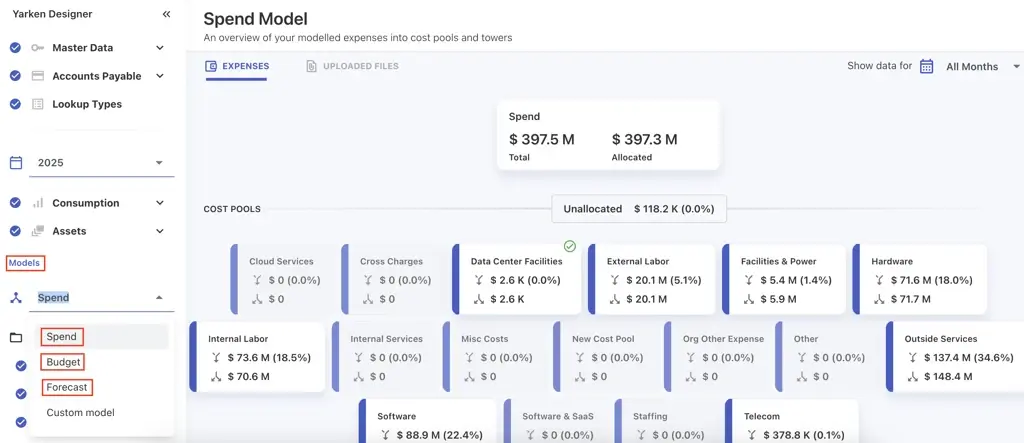
Key capabilities include:
Predefined and customizable models
Default models for Spend, Budget, and Forecast are available out of the box, with the ability to create additional custom models as needed.
Consistent data organization
Models can be applied across spend, budget, forecast, rules, and mappings, ensuring a unified structure for data processing and reporting.
Clear separation of planning & actuals
Cloud spend is published into the Spend model, while Budget and Forecast data are published into their respective models, maintaining clean data boundaries.
Reusable rules and mappings
Mappings and rules—including Cost Pool, Tower, Asset, Solution Offering, and Consumer rules—can be copied across models, improving efficiency and consistency.
Model comparison in Analytics
Users can compare multiple models within Analytics and Custom Dashboards, with dynamic measures automatically created for custom models to enable seamless side-by-side analysis.

Flexible configuration & governance
Administrators can create and manage additional models, while default system models remain fixed to ensure consistency across the platform.
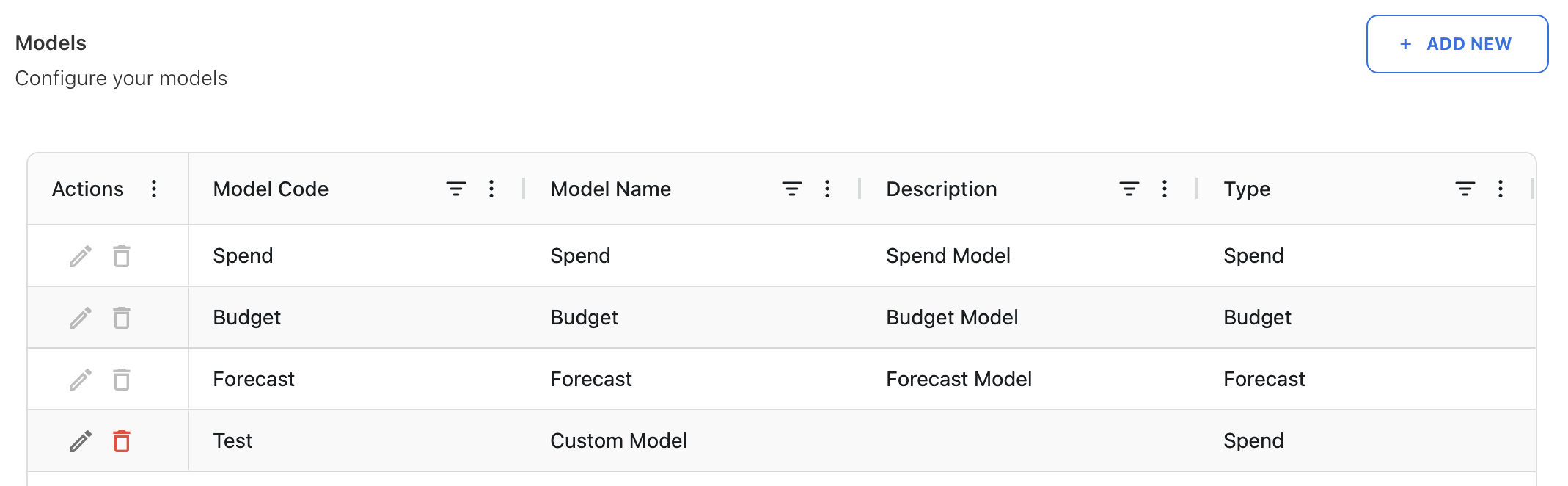
Financial models provide a more structured approach to planning, enabling organizations to compare scenarios, manage multiple forecasts and budgets, and align allocation strategies—all while keeping reporting consistent and scalable.
Entity support extended across Planning, Business Case, and Ask Yarken
Entity-level capabilities have been expanded across Budgets, Forecasts, Business Cases, and Ask Yarken, enabling more granular planning, access control, and analysis aligned to organizational structures.
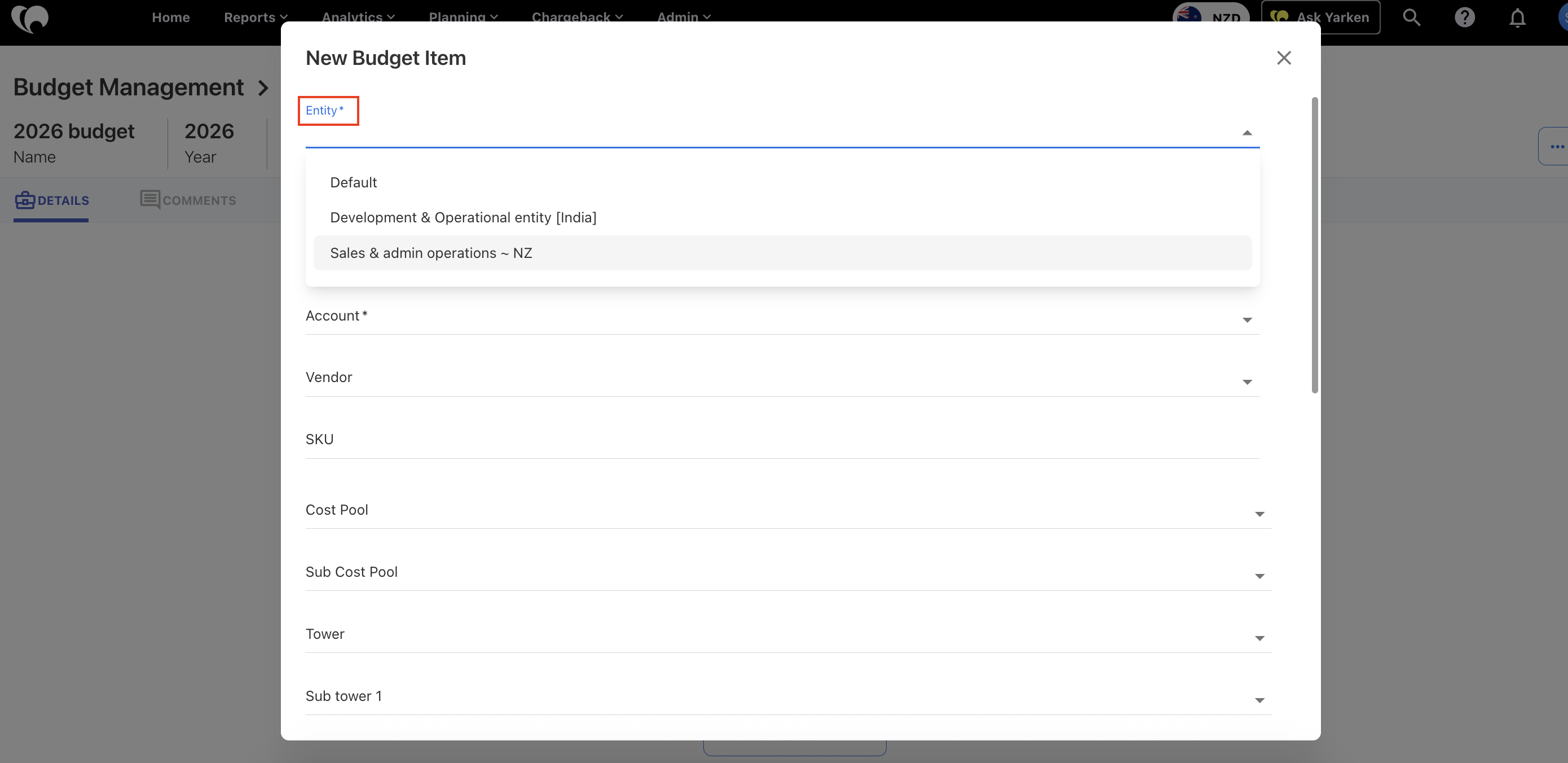
What’s covered:
- Entity-level planning for budgets and forecasts
Budgets and forecasts now support entity-level management, allowing organizations to plan independently by entity. Each budget line item is tagged with an entity, and access is governed by entity-level permissions. Forecasts follow the same structure for consistency. - Entity attribution in Business Cases
Entities can now be assigned to business case line items—for both cloud and non-cloud scenarios—across manual entries and file uploads, improving ownership and tracking of planned investments. - Permission-aware responses in Ask Yarken
Ask Yarken now fully respects entity-level access controls. Users only see insights and data for the entities they are authorized to access, ensuring secure, accurate, and consistent reporting.
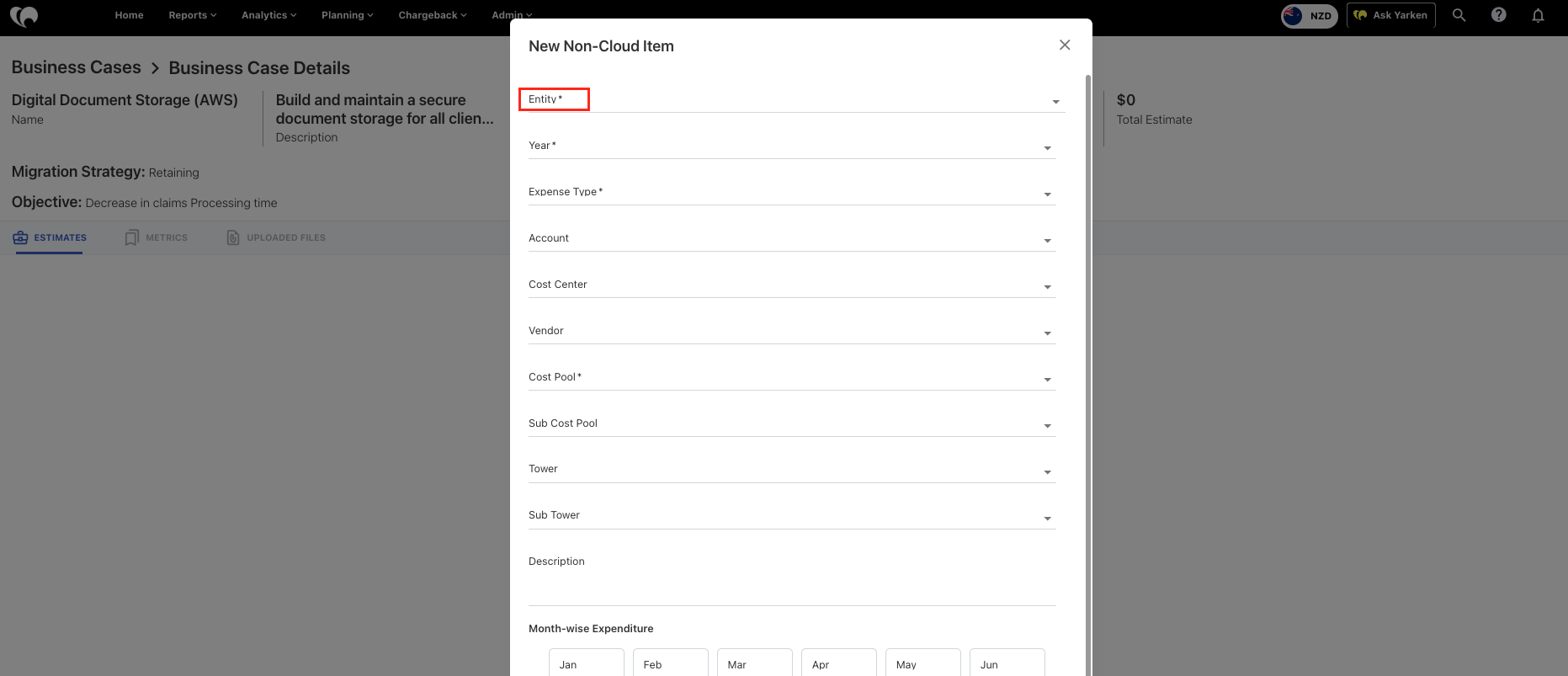
This enhancement strengthens Yarken's ability to support multi-entity financial planning and governance, enabling better alignment between organizational structure, access control, and decision-making.
Modify uploaded spend records
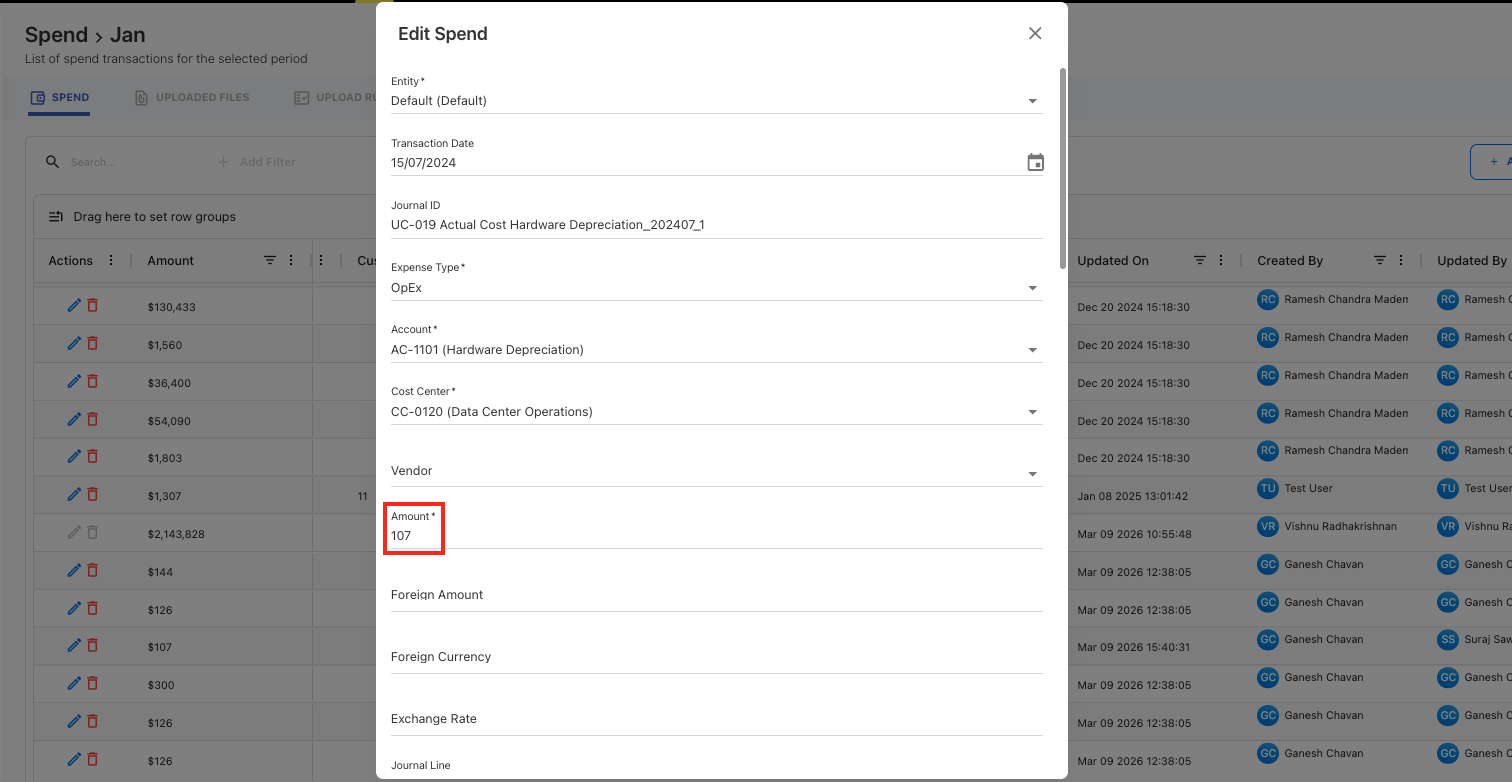
Yarken now allows users to edit uploaded spend line items (GL entries) directly within the application, providing greater flexibility to correct or refine data without requiring file re-uploads.
- Direct editing of spend records
Users can update key fields such as spend, SKU, Towers, and other supported attributes directly on uploaded records. - Independent from source files
Once edited, records are de-linked from the original uploaded file, ensuring changes are preserved even if the source file is reloaded or removed. - Governed and controlled updates
Edits respect locked months, including post-chargeback periods, maintaining financial control and data integrity. - Automated downstream updates
Any changes trigger applicable downstream rules for the affected spend records, ensuring consistency across the system. - Scope limitations for protected data
Budget, forecast, and cloud spend data published to Cost Transparency remain non-editable to preserve data accuracy.
Improved cube refresh experience
The cube refresh experience has been enhanced to provide greater visibility and control over partition-level processing, making it easier to manage data updates efficiently across cubes.
- Partition-level visibility
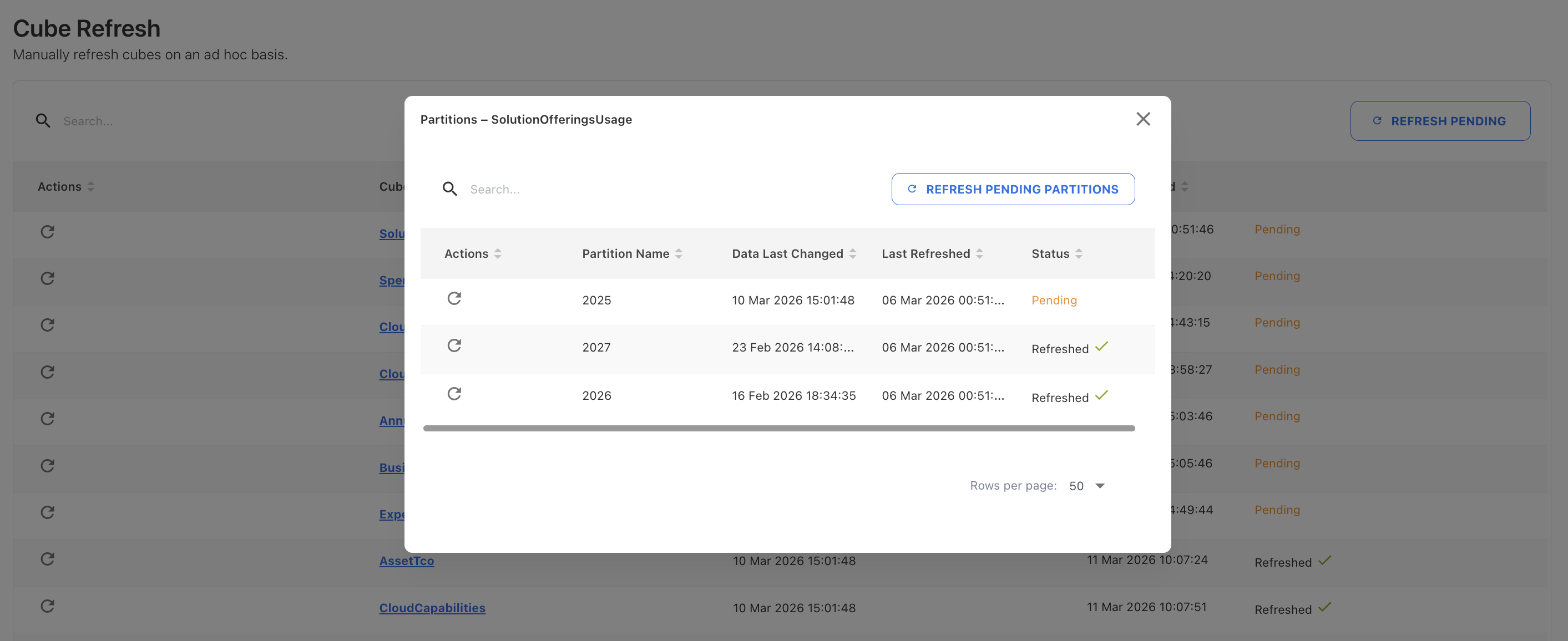
Cubes with partitions are now interactive, allowing users to drill down and view detailed information for each partition, including its processing status. - Pending status tracking
When data changes occur, affected partitions are automatically marked as Pending, giving users clear visibility into what needs to be refreshed. - Flexible refresh controls
Users can refresh individual partitions or all partitions within a cube directly from the partition view. - Full cube refresh option
The Refresh action in the cube view ensures all partitions—both pending and previously processed—are refreshed to keep the cube fully up to date. - Bulk refresh for pending partitions
A new Refresh Pending Partitions option allows users to refresh all cubes and their pending partitions in a single action, streamlining updates across the application.
This enhancement improves operational efficiency by making cube refreshes more transparent, targeted, and easier to manage at scale.